
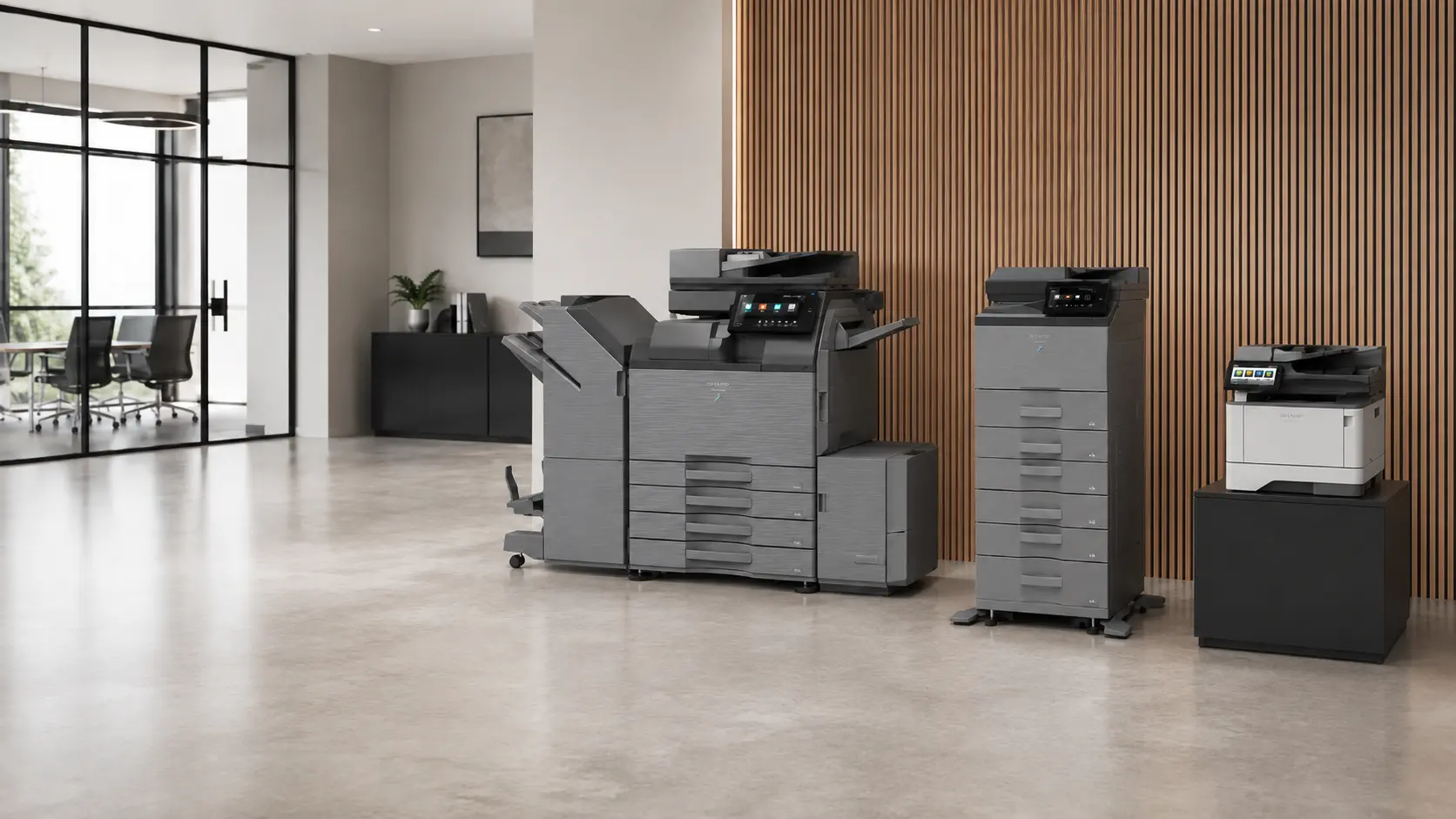
Choose a photocopier, multifunction printer or office printer around the way your organisation works, with purchase, leasing and rental options available across South West England.
Phoenix supplies new and refurbished equipment for businesses, schools and other organisations. We help customers compare suitable devices, plan delivery and installation, and understand how servicing and consumables will be handled after the machine is in use.
Whether you need one compact office printer or several multifunction devices across different locations, the process begins with the work the equipment needs to do.
Equipment chosen around your organisation
A useful recommendation takes account of more than print speed.
The number of users, typical documents, monthly volume, scanning requirements and available space all affect which machine will work well. Phoenix can also consider network printing, secure release, paper capacity, finishing, mobile access and likely changes in future demand.
This helps narrow the choice to equipment that fits the workload without adding unnecessary cost or complexity.
Photocopiers and multifunction printers
Modern multifunction printers combine printing, copying and scanning in one networked device. Depending on the model, they can also provide document storage, secure print release, rapid double-sided scanning and professional finishing.
These devices are often used by departments or groups of users who need a shared machine. Available configurations range from compact floor-standing models to higher-capacity systems for busy offices, schools and administration teams.
Phoenix is a multi-brand supplier, with Sharp as a key equipment brand. This allows the recommendation to begin with the requirement rather than a fixed manufacturer or model.
Office printers
Not every workplace needs a large floor-standing photocopier.
A desktop or cabinet-mounted office printer may be a better fit for a small team, reception area, classroom, home office or department that needs local access to a device. In other cases, a mixture of smaller printers and shared multifunction equipment provides a practical balance.
Phoenix can help assess whether the organisation needs one central device, several local printers or a coordinated combination of both.
Matching capacity to the workload
A machine can appear suitable on a specification sheet and still be frustrating in daily use.
Insufficient paper capacity can lead to constant tray refilling. Slow scanning can create queues for administration teams. A device with limited memory or processing power may struggle with large documents. At the other end of the scale, unusually high speeds and specialist finishing add little value when they are rarely used.
We look at normal demand as well as busy periods so that the proposed equipment has enough capacity without being oversized.
A4 or A3 equipment
Many organisations produce mainly A4 documents and do not need A3 capability at every location.
A4 equipment is often compact and well suited to correspondence, invoices, reports, forms and ordinary office documents. A3 capability becomes useful for plans, spreadsheets, classroom resources, posters, marketing material, booklets and documents that need to be enlarged or reduced.
Where A3 is needed only occasionally, one shared A3 device may be more practical than specifying the same capability throughout the organisation.
Colour or black-and-white printing
Colour output is important for presentations, teaching materials, property details, diagrams, marketing documents and reports where colour improves understanding.
Other teams produce mainly letters, invoices, forms and internal paperwork that can be printed effectively in black and white. A mixed approach can provide colour where it is useful while keeping routine output simple.
Discussing the likely balance of colour and mono printing helps us recommend a suitable device and configuration.
Scanning and document workflows
For many organisations, scanning is as important as printing.
A multifunction printer can send documents to email, network folders, approved cloud locations or document-management workflows. The right setup depends on how documents are handled after they leave the paper original.
Useful details include:
- where scanned documents need to go;
- whether searchable files are required;
- the usual size of scanning batches;
- whether double-sided originals are common;
- whether users need an address book or saved destinations;
- any security restrictions around email, networks or cloud services.
Phoenix can consider scanning speed, document-feeder capacity and ease of use alongside the printing specification.
Paper handling and finishing
Additional paper trays can keep different sizes, colours or types of paper ready for use. This reduces manual changes and lowers the chance of documents being printed on the wrong stock.
Depending on the equipment, finishing options can include:
- automatic stapling;
- hole punching;
- booklet preparation;
- folding;
- sorting and offsetting;
- separate output trays.
These features are valuable where documents are regularly prepared for meetings, teaching, customers or internal distribution. The physical size of the finished configuration also matters, particularly when a full finishing unit is included.
Purchase, lease or rent
Phoenix offers several ways to obtain office printing equipment.
Purchase
Buying outright may suit organisations that want to own their assets and have capital available. It can work well when the required equipment is understood and the organisation expects to keep it for several years.
Ownership still needs to be considered alongside servicing, consumables and the expected working life of the device.
Leasing
Photocopier leasing spreads the equipment cost over an agreed period instead of requiring full payment at the beginning.
It is commonly used by organisations that want predictable equipment payments and a planned replacement cycle while keeping capital available for other priorities.
The proposal needs to be considered as a whole, including the equipment, agreement term, service arrangement, consumables and what happens at the end of the agreement. Phoenix can explain how the proposed equipment and support fit together so that the arrangement is clear.
Long-term business rental
Long-term rental provides access to business equipment for an agreed period without purchasing it outright.
The most suitable arrangement depends on the machine, expected workload, length of use and support requirement. Phoenix can discuss rental alongside purchase and leasing when comparing the available options.
Short-term and event hire
Short-term and event hire are available for suitable requirements.
Temporary installations vary according to location, dates, expected volume, connectivity and collection arrangements. Providing these details at the beginning helps us assess the most practical option.
New and refurbished equipment
New equipment provides access to current models and a wide choice of configurations.
Phoenix can also supply refurbished photocopiers and printers. Refurbished equipment may suit a secondary location, a cost-conscious replacement or a requirement where a professionally prepared business machine offers the functions and capacity needed.
A refurbished device is assessed around its condition, expected workload, available functions and support position. The lower initial cost is useful only when the machine remains a good fit for the organisation.
Replacing existing equipment
Replacing a device is an opportunity to review what has changed since it was installed.
The organisation may now have more or fewer users, different locations, greater scanning needs, more remote working, new security requirements or a different balance of colour and black-and-white printing. Existing features may also be going unused while other requirements are not being met.
Rather than automatically replacing like for like, Phoenix can review the current workload and identify whether the next device needs to be smaller, faster, easier to use, more secure or configured differently.
Where a finance, rental or service agreement is still active, the relevant dates and terms can be considered as part of the replacement planning.
Delivery, installation and setup
Supplying the machine is only part of the project.
Phoenix can arrange delivery and installation, connect the device to the organisation’s network and configure the main printing and scanning functions required by users.
Setup can include:
- print-driver installation;
- scan-to-email or network scanning;
- address-book configuration;
- secure printing and user access;
- paper-tray and finishing settings;
- basic guidance for regular users;
- coordination with print management software.
The proposed location, building access, power, network connectivity and available floor space can all be checked before delivery. Where an old device is being replaced, the changeover can be planned to reduce disruption.
Support after installation
Photocopiers and office printers need consumables, servicing and occasional technical support throughout their working life.
Phoenix services and repairs most major brands and can discuss ongoing support alongside the equipment proposal. Organisations with several devices may also benefit from a free Managed Print assessment, which looks at usage, toner processes, support workload and future replacement priorities across the wider estate.
Print software and secure workflows
Print management software can provide secure release, user authentication, usage reporting and more control over where documents are printed.
Phoenix supports PaperCut and can advise where software would improve security or simplify the user experience. Follow-me printing can allow users to release documents at a compatible device, while reporting can provide clearer information about how printing is being used.
The equipment, software, authentication method and network environment are considered together so that the finished setup works as one system.
Equipment for one location or several sites
A multi-location organisation may need consistency in print drivers, scanning destinations, user controls, consumables and support reporting.
That does not always mean installing identical equipment everywhere. Different locations may have different workloads and available space. Phoenix can consider each site individually while looking for ways to simplify the wider equipment estate.
Information that helps us prepare a quotation
You do not need to prepare a detailed technical specification.
The most useful starting information is:
- whether you are considering purchase, leasing, rental or are not yet sure;
- the approximate number of users;
- estimated print and copy volume;
- whether colour and A3 output are required;
- important scanning or finishing needs;
- the number of devices or locations involved;
- any known replacement dates;
- the installation postcode.
Where some information is unavailable, we can begin with what is known and discuss the remaining details.
Serving organisations across the South West
Phoenix supplies photocopiers and office printers across Cornwall, Devon, Dorset, Somerset, Wiltshire, Gloucestershire, Bristol and Bath.
Requirements range from individual office printers and school multifunction devices to coordinated equipment across several business locations.
Frequently asked questions
Do I need to know which photocopier model I want?
No. Explain how the equipment will be used, how many people will use it and which functions matter. Phoenix can then compare suitable options.
Is leasing always better than purchasing?
No. Purchase, leasing and rental suit different financial and operational preferences. We can explain the available equipment and support arrangements so you can compare them clearly.
Can Phoenix supply refurbished photocopiers and printers?
Yes. Refurbished equipment is available where its condition, capacity and functions fit the intended workload.
Does every office need an A3 photocopier?
No. Many organisations produce almost all their documents at A4. A3 equipment is most useful where larger-format printing, copying or scanning is a regular requirement.
Can one device provide printing, copying and scanning?
Yes. A multifunction printer combines these functions in one networked device. Available security, scanning and finishing features depend on the chosen model and configuration.
Can Phoenix replace equipment supplied by another company?
Yes. We can review the current requirement and discuss suitable replacement options. Details of any existing agreement are useful when planning the timing.
Is servicing available with the equipment?
Yes. Support and servicing can be discussed alongside the equipment proposal so that the complete arrangement is understood before installation.
Can Phoenix supply several offices or departments?
Yes. We can assess one device, several departments or multiple locations and recommend a manageable equipment mix.
Can secure printing be included?
Yes. Secure printing may be provided through device functions or print management software such as PaperCut, depending on the equipment and authentication requirements.
Discuss your photocopier or printer requirements
Tell us whether you are considering purchase, leasing or rental, your approximate usage and whether colour output is required.
We can then discuss new and refurbished photocopiers, multifunction printers and office printers that fit the way your organisation works.